
The recap never gets written
After a long day, nobody’s sitting down to write up what happened. So nothing gets sent, nothing gets documented, and by tomorrow it’s already forgotten.
AI-Powered Summaries
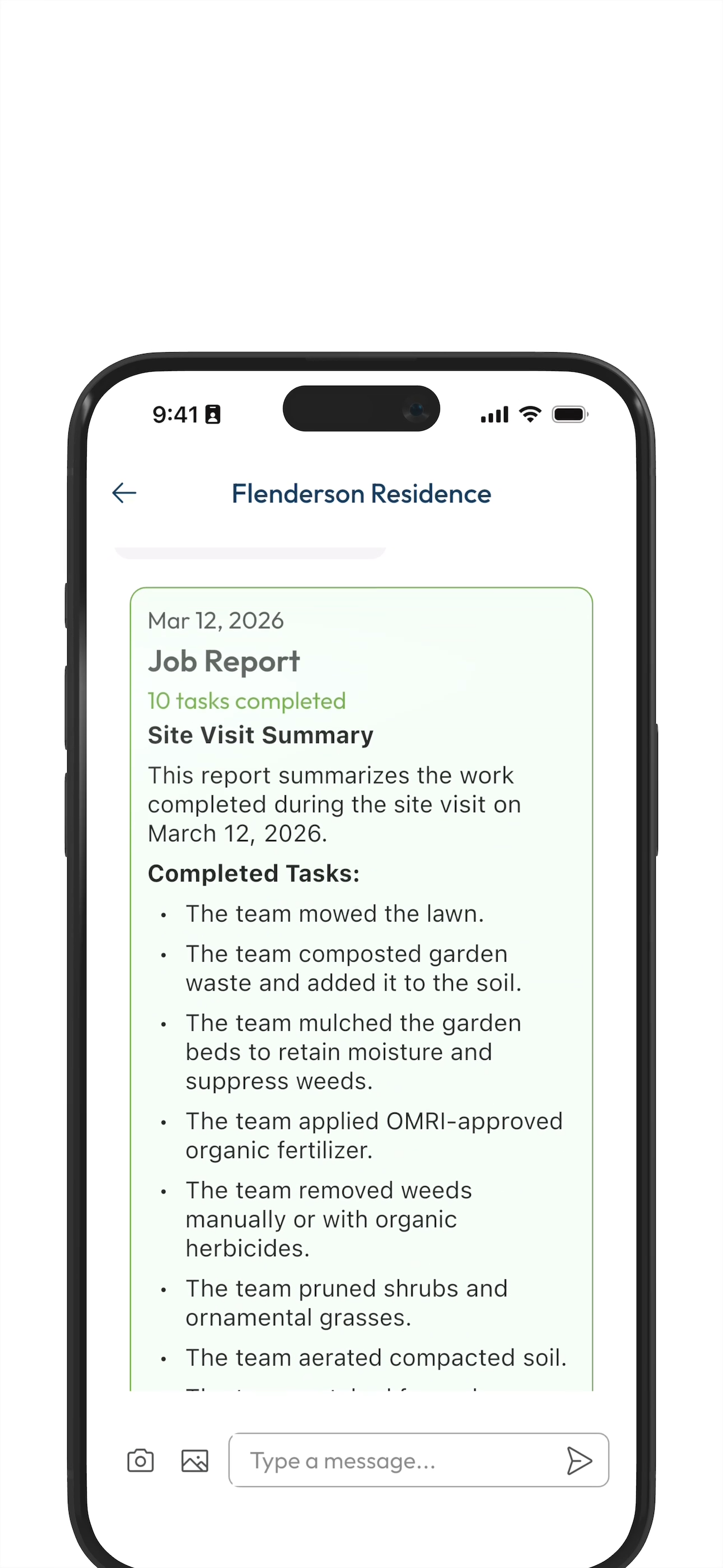
Everyone gets a quick, in-message summary with every crew member check out. Now everyone sees what they did, including the photos or notes from the field. All sent before they’ve left the driveway.

The Problem
You know a bathroom was cleaned well when the toilet paper is folded fancy. The little things say everything
about the effort behind the work.
Your crew has their version of that. Now it can be shared, every time.
After a long day, nobody’s sitting down to write up what happened. So nothing gets sent, nothing gets documented, and by tomorrow it’s already forgotten.
No update after the visit means unanswered questions. “Did they show up? What did they do?” Your crew did the work but the silence feels like nothing happened.
Your crew noticed the broken valve. The gate that won’t latch. But there was no clean way to flag it, so it didn’t get mentioned. Now it’s your problem later.
01
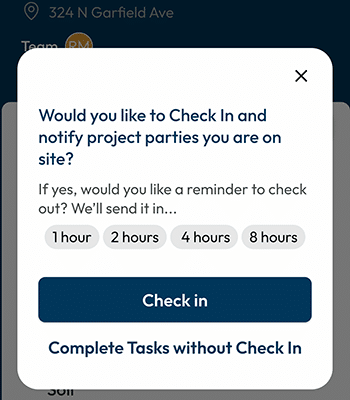
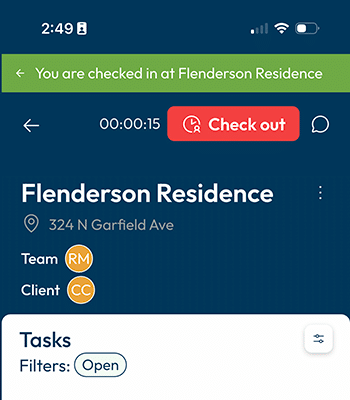
When the job starts, crew checks in on LadiDone. Every task completed, every photo taken, every note left — all of it tracked automatically as the work happens. No extra steps, no separate reporting.
02
When the crew checks out, LadiDone gets to work. AI generates a complete summary of everything done during the visit — tasks completed, photos attached, crew notes included. In seconds.
03
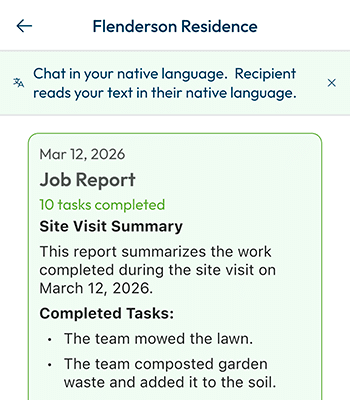
The summary lands in the project chat for every party on the job — client, property manager, whoever needs to know. Before the truck leaves the driveway.
Results Over Time
First summary sent
Your first client gets a surprise recap before you’ve left the driveway. They are pleasantly surprised.
All clients are onboarded
After initial positive feedback, you’ve invited all your clients to LadiDone. Now they all see you’ve upped your game.
Clients want pings
The summary went from pleasant surprise to something they count on. Now you’re better than the “other guys”.
Your phone pings less
Long, confusing conversations are replaced with quick updates showing what they asked for is done.
MR“I used to spend an hour after every big job writing up notes. Now I hit Check Out and the summary’s done. Clients love getting the quick recaps and it’s changed how professional we look.”
Mike R.
Landscaping Company Owner, California • 8-person crew
Common Questions
The Check-in / Check-out process is the trigger. Check-in starts the recording and Check-out ends the recording and sends out the summary. Simple stuff.
No, you can’t edit the AI-generated summary but you can add additional media (photos and/or videos) and written messages.
The AI generates summaries that auto-translate based on each viewer’s language preference.
You control sharing. If your client has been invited to the project, yes, they will have access to the summary.
Nothing is perfect…but this AI assisted process rarely does. Keep in mind you always have the ability to pull up completed tasks.