
Wheel is already invented.
No need to start from scratch. Select a template, duplicate and modify as needed.
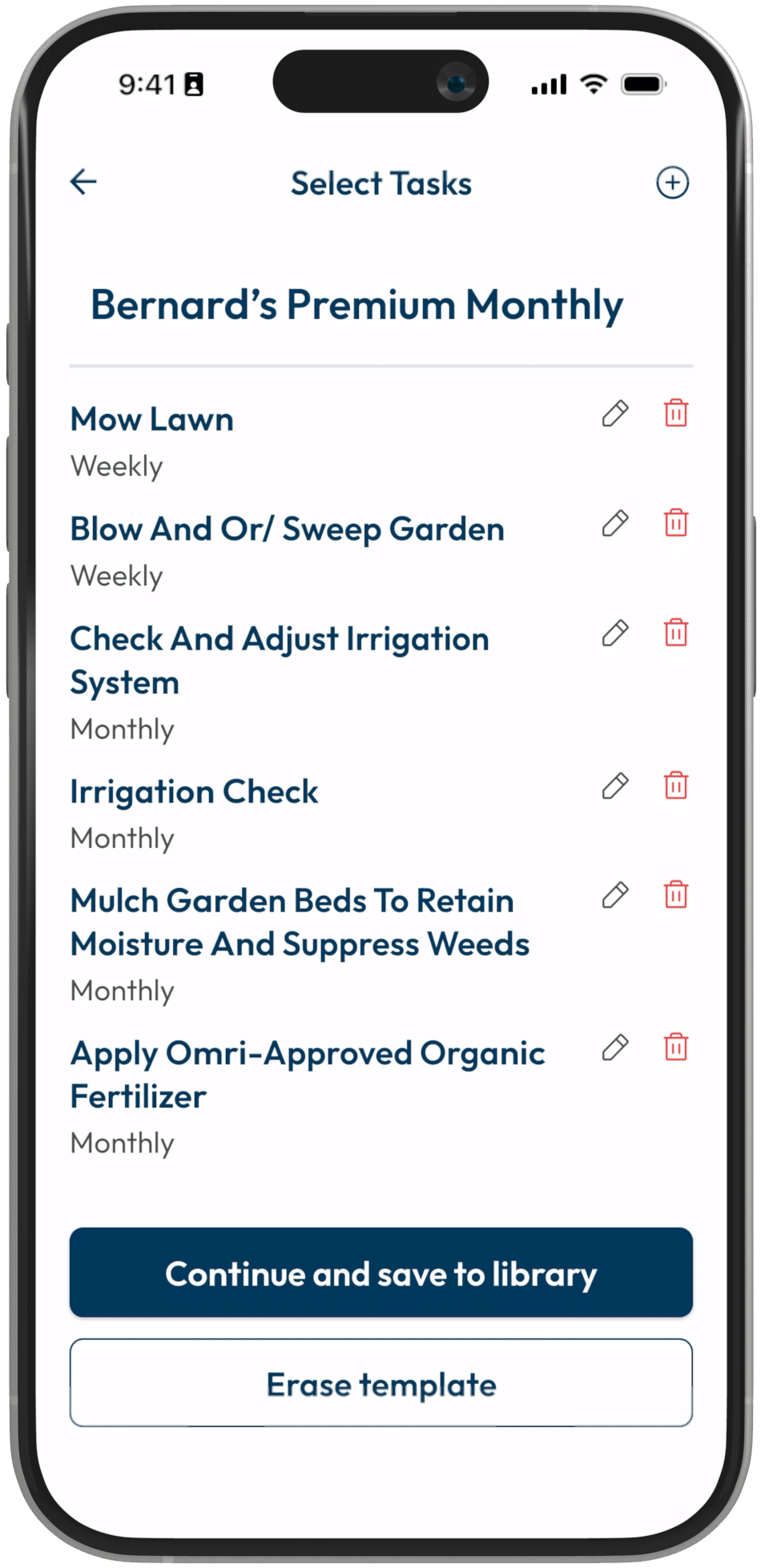
Customizable Task Templates
Create your workflow once. Apply it to any job with one tap. Every task, every instruction, and every detail ready to go before the crew arrives.
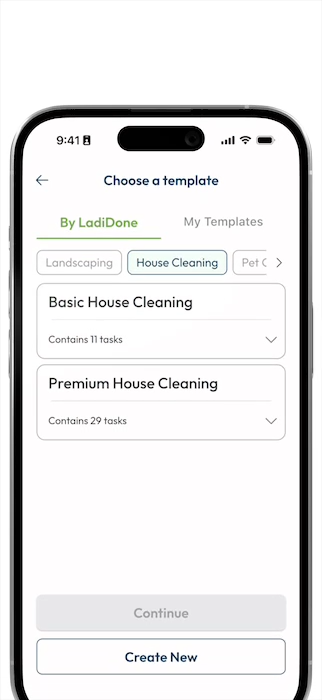
The Old Fashioned Way
Same client. Same job type. Same checklist. But every Monday, you’re typing it out again, explaining it again, hoping nobody forgets a step again.
No need to start from scratch. Select a template, duplicate and modify as needed.
Get the whole list of tasks in front of the whole crew, easily and enjoy the beauty of check marks.
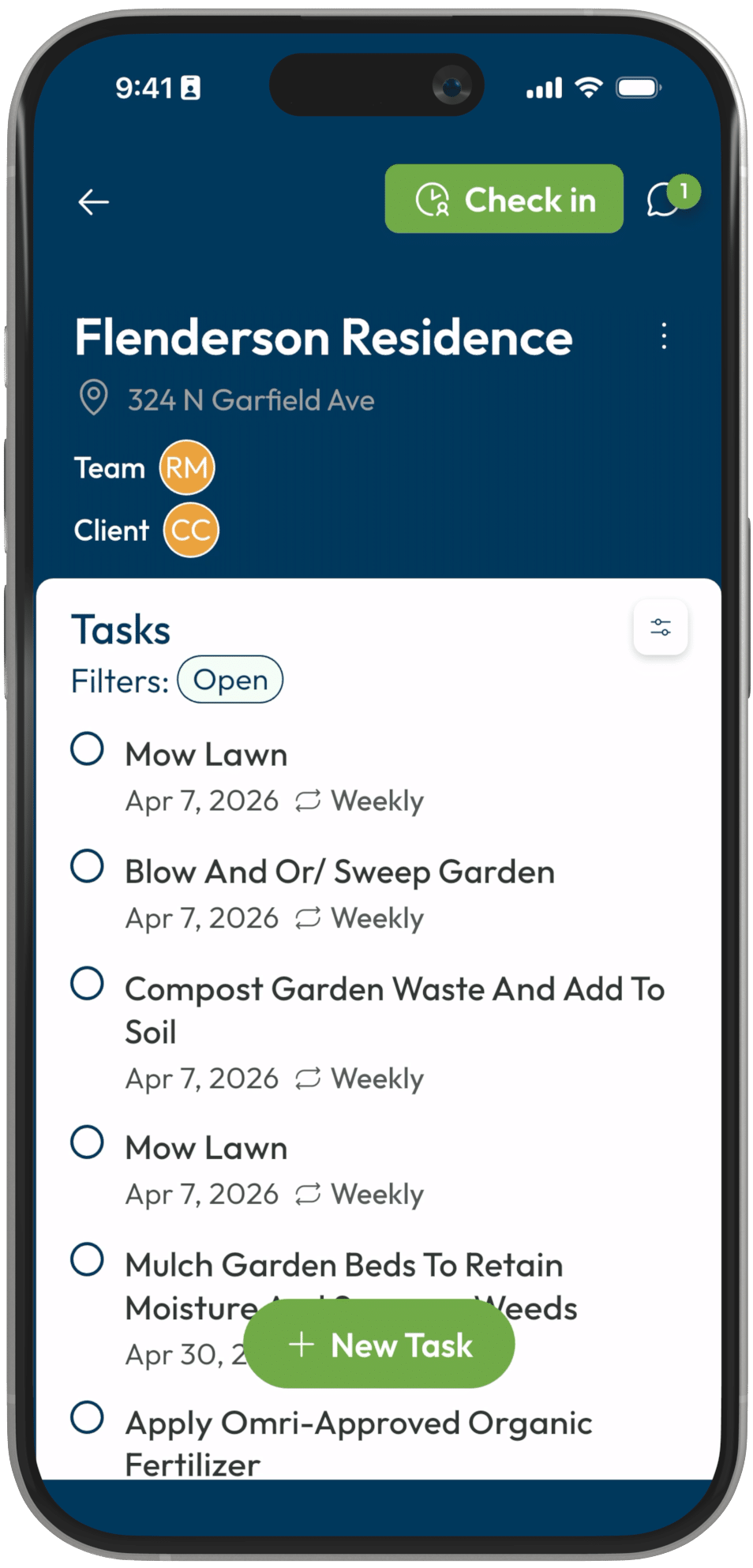
New crew members now require less explanation. This means they are up and running much faster.
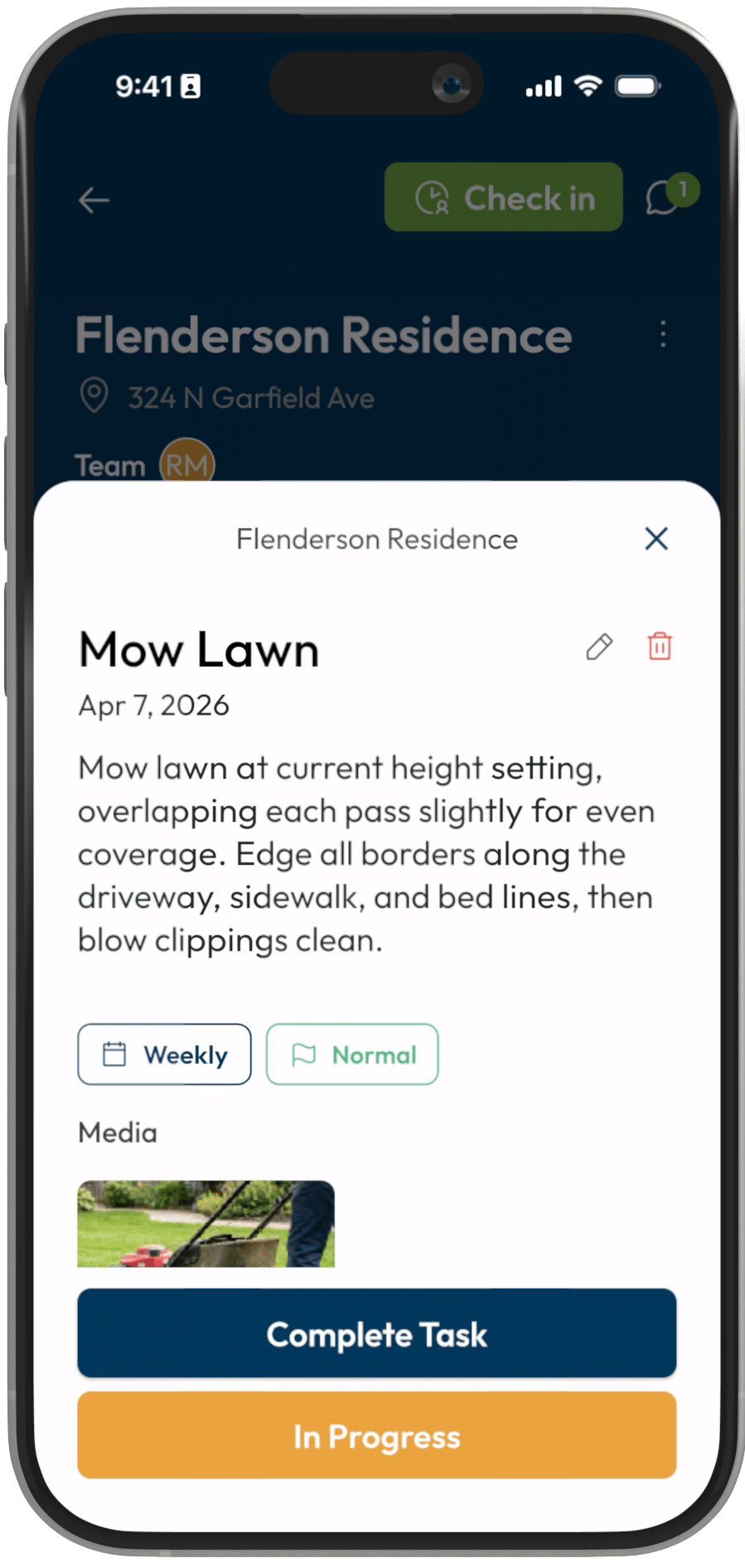
You edged every border & cleaned every window. Now the client notices your value with follow up.
The Build-Once System
Your best jobs become the blueprints for every job after it.
01
Create a template for each service you offer – lawn care, rental turnovers, house cleaning, pool service. Add tasks, subtasks, specific instructions, even photo examples. Capture exactly how you want the work done, once.
Your standards get documented once and show up on every job automatically.
02
New job comes in. Grab the right template and assign it to the job. Every task, instructions, and requirement is already there. No building from scratch, no forgetting details, no explaining it again.
We are doers so let’s get doing.
Before: New job lands. Start from scratch. Type the checklist, explain the process, hope nothing is missed.
After: Grab the template. Every task, instruction, and detail is there primed and ready to get done.
03
Running a great job? Built a task list you’d love to use again and don’t want to manually recreate? The Save tasks as Template function lets you repurpose any task list with all the details with a couple clicks.
Templates of All Kinds

Mowing, edging, trimming, cleanup. Weekly maintenance with seasonal variations. Every property gets the same thorough service.

Maintenance requests, vendor coordination, and unit turnovers. Managers and crews are now on the same page with less of your time in every conversation.

Room-by-room checklists. Deep clean vs. standard. Move-in/move-out. Consistent quality from any cleaner for any situation or type of property.

Framing to finish. Every task, every sub, every change are documented and visible to the whole team in real time.
Chemical testing, cleaning, equipment checks. Weekly templates with readings logged and issues flagged.

Turnover checklists, cleaning crews, and maintenance between every stay. Every unit guest-ready, every time.

What’s Under The Hood
Add detailed steps within each task. Include specific instructions, notes, requirements. Your crew knows exactly what “clean the pool” actually means.
No more “I didn’t know you wanted it done that way.”
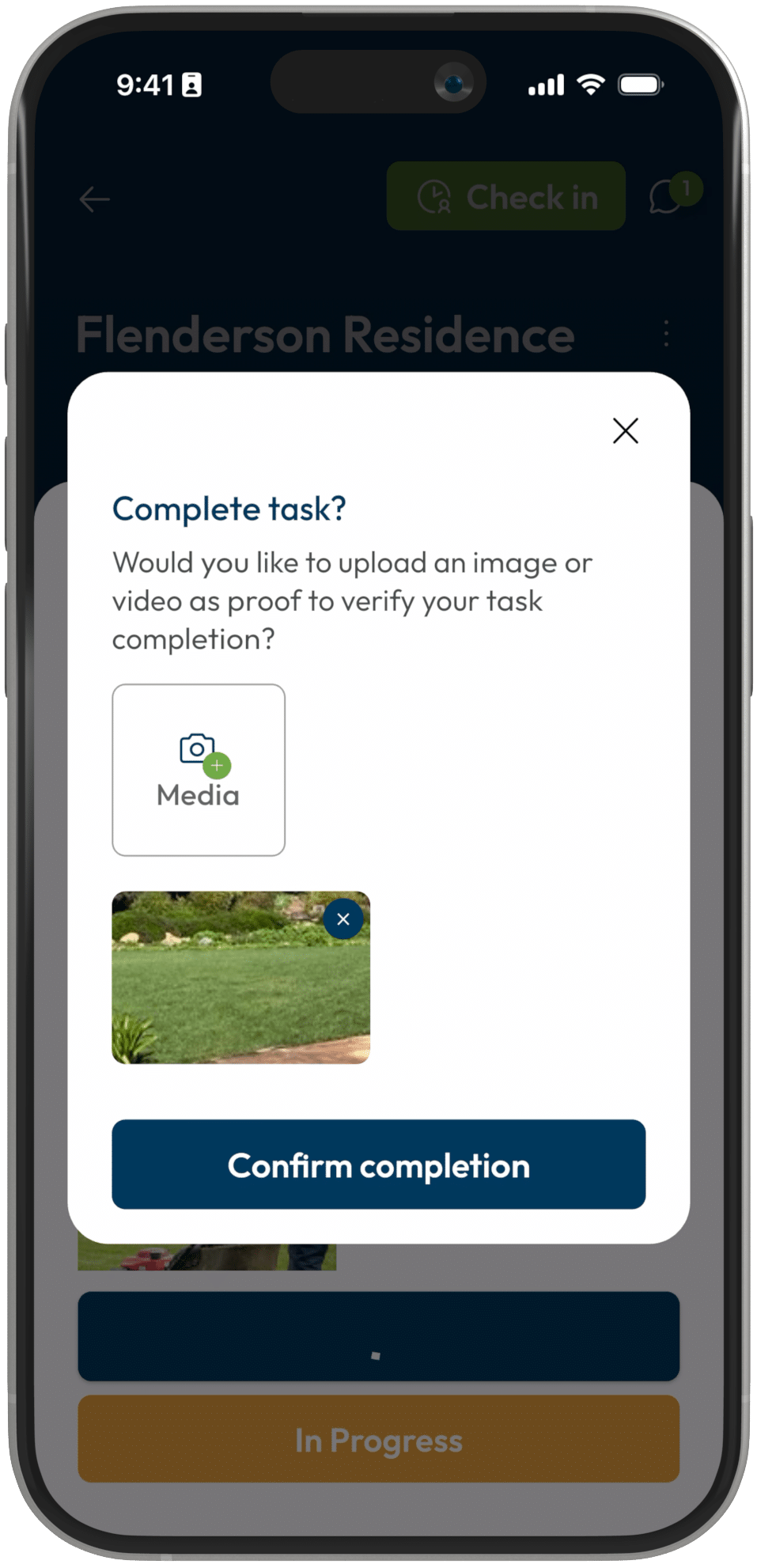
A picture is worth a thousand words. Upload reference photos or videos directly into any task so crew knows exactly what you expect before they start.
Your standard, shown – not just described.
Set templates to auto-apply for every Monday, first of the month, or weekly. Jobs populate automatically with your proven checklist.
Your recurring jobs run themselves. Your team just shows up.
Every task, instruction, and note translates automatically. Create in English, crew reads in Spanish. Same template, any language.
Multilingual crews follow the same process.
Client has special requests? Add a task to just this job. Update a template anytime and it applies to future jobs. Flexible without losing consistency.
Flexible for the job. Consistent across the business.
See exactly what’s done, what’s pending, who did what. Full visibility for managers and clients.
No more “did they actually do it?” questions.

Results Over Time
First template created
Take your most common job type. Build the template. 10-15 minutes, once.
Stop retyping checklists
New job: tap “apply template.” Done. Setup that took 15 minutes now takes 3 seconds.
Consistency improves
Every job runs the same way. Callbacks drop. New hires deliver quality immediately.
System runs itself
Templates for every service. Recurring jobs auto-populate. You manage by exception.
MR“I used to spend hours setting up each job. I’d type out the same checklist and explaining the same steps on site. Now I tap one button, make a couple edits and the whole template applies. My crew knows exactly what to do, and clients get consistent quality every time.”
Mike R.
Landscaping Company Owner, California • Four 2-crew trucks, 40+ properties
Common Questions
Most templates take 10-15 minutes to build but it really depends on how detailed your specific task list for this project. Add your tasks, include instructions, upload photo standards. Do it once, use it forever. The time investment pays off immediately.
Yes. After applying a template, you can add, remove, or modify tasks for that specific job without changing the original. Client wants something extra? Just add it. Your core template stays clean.
Create your template in whatever language you prefer. When crew members view the tasks, everything displays in their preferred language. English, Spanish, Portuguese—same template, same process, their language.
Yes. Set any template to apply automatically—weekly, monthly, or on specific dates. Your recurring jobs populate with the complete checklist without you doing anything.
You control visibility. Share the checklist with clients so they see exactly what’s being done, or keep it internal. Either way, completion status and photo proof can be shared automatically.