
01
Offer In Seconds
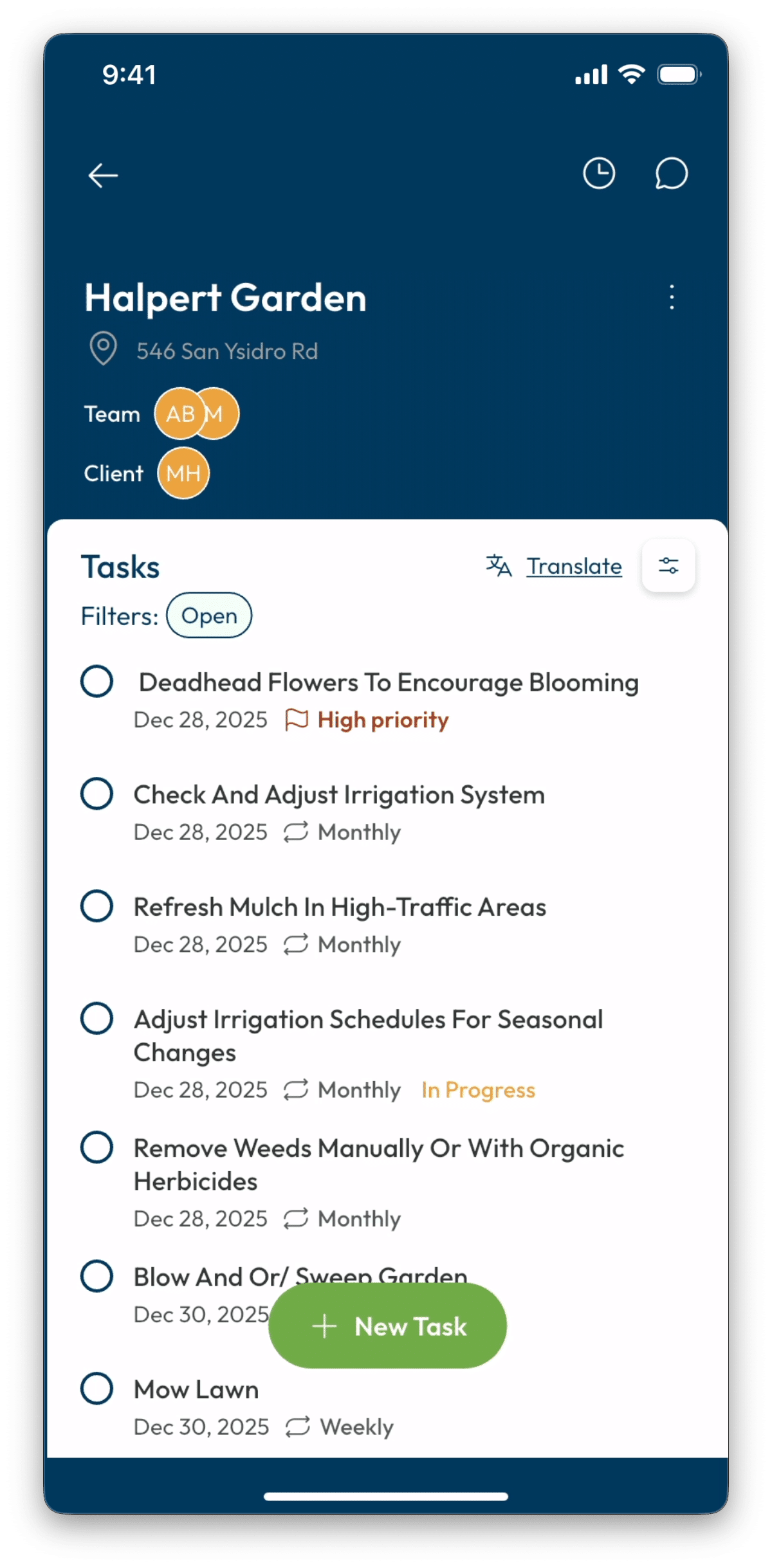
Crew taps Extra Work, selects the job type, sets a price, adds an optional photo, and sends. The offer appears instantly in the client’s feed as a distinct amber card.
No verbal negotiation.
No awkward ask.
Extra Work
It starts small. It always does.
LadiDone gives your crew a simple way to flag extra work on the spot, get client sign-off, and actually get paid
it.

Extra Work Calculator
Revenue You Haven’t Tapped Yet
Extra work already happens on your jobs. Extra Work gives it a structure — so it gets offered, approved, and collected without friction.
01
Crew taps Extra Work, selects the job type, sets a price, adds an optional photo, and sends. The offer appears instantly in the client’s feed as a distinct amber card.
No verbal negotiation.
No awkward ask.
02
The client sees the offer, reads the description, and taps Approve. If they have a card on file, payment collects automatically when the work is complete.
No invoice.
No portal.
No follow-up.
03
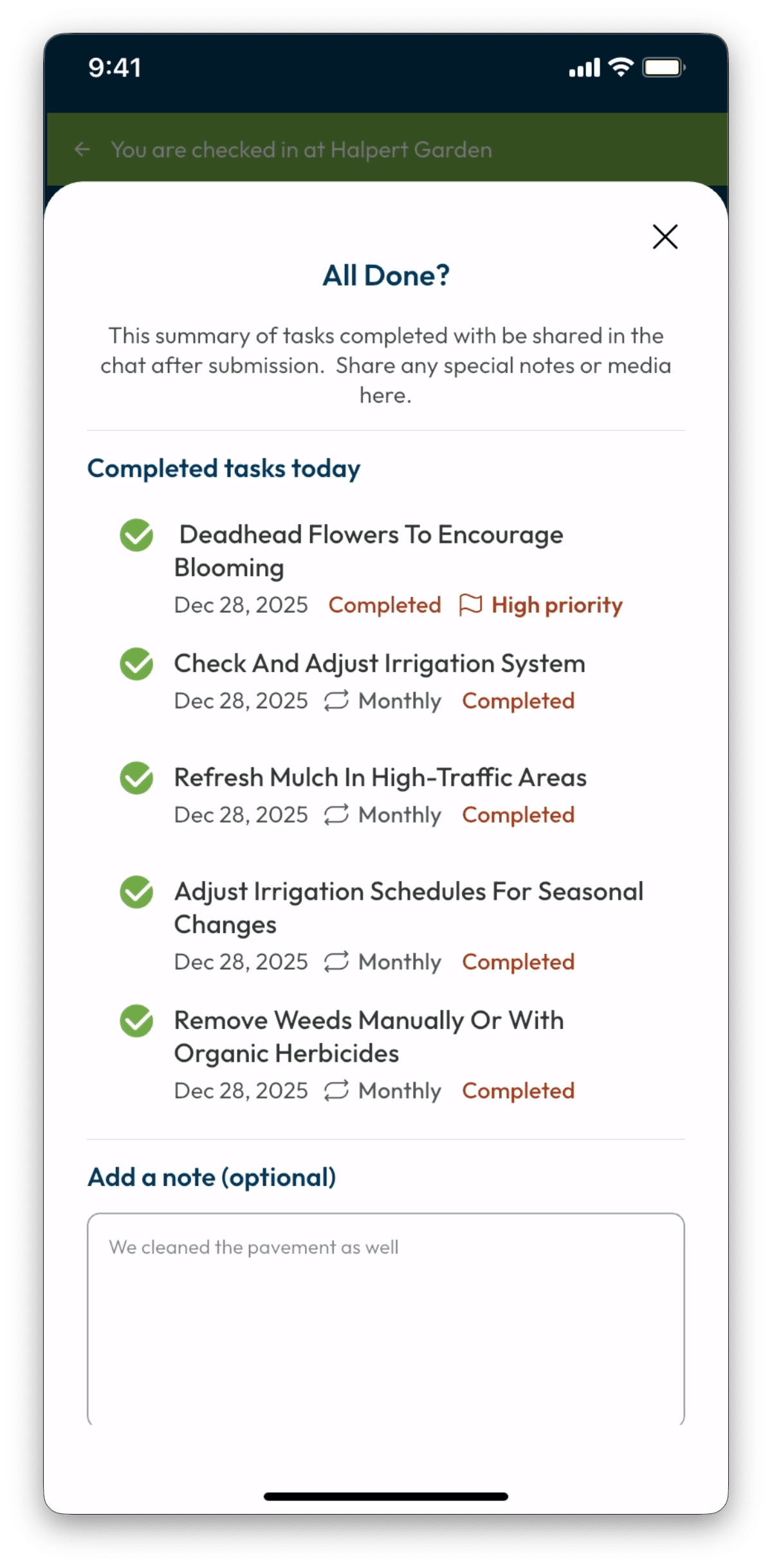
Every offer, approval, and payment lives in the project history. The owner sees everything. The client has a receipt.
Nothing gets lost.
Everything is documented.
Two flows work together — crew can initiate offers, and clients can submit requests. Every path has a clean resolution.
A crew member notices a broken sprinkler head or kitchen cabinets in need of a deep cleanse. They open Extra
Work, describe the job, set a price, and send. The app handles everything from there.
Crews also initiate proactively — when they spot something that needs attention or when there’s capacity to
offer additional services. No verbal negotiation. No waiting to ask the owner. The offer goes directly to
the client. The owner sees it in the Task Feed.
A client submits a request directly in their feed. The business sees it tagged Pending Review and has three clean options: approve it as a standard task, convert it to a priced Extra Work offer, or decline with a note that lands naturally in the chat thread.
When the crew marks an Extra Work task complete, the client receives a push notification: “Work complete.
Does everything look good?” They confirm with one tap — payment processes immediately and both parties
receive a receipt in the feed. If they flag a concern, payment pauses and a conversation opens. If they
don’t respond, payment processes automatically after 12 hours.
This window protects clients from accidental completions and gives both parties a natural, low-friction way
to resolve concerns before they escalate. Prefer to invoice through your existing system? Extra Work can be
set to skip automatic payment collection on a per-project basis. The documentation and approval record are
always captured regardless of how you collect.
Work complete · $85 · Auto-pay
Leaf & Debris Cleanup
Does everything look good?
Looks great
Auto-charged in 12 hrs if no response

The Numbers
A landscaping company with 20 clients. One extra job per client per month at $250. That’s $5,000 per month — collected cleanly, documented automatically, without a single awkward conversation.
The hardest moment in the field is saying “yes, and here’s what that costs.” Extra Work removes the verbal negotiation entirely. The crew composes the offer in the app. The app handles the conversation.
Because offers appear in the same feed where work gets documented, clients experience Extra Work as attentiveness — the crew noticed something and took initiative. That perception strengthens the relationship rather than straining it.
Every offer sent, every approval or decline, every dollar collected is visible in the business portal. See which crew members are identifying opportunities, which clients are most receptive, and where revenue is being captured.
Every Extra Work transaction builds a complete record — approval, completion timestamp, client confirmation, conversation thread. It’s all there automatically, for both parties.
What Happens After You Start
First offer sent. Crew completes a visit, spots an opportunity, taps Extra Work. Client approves. Payment collects on completion.
Crew builds confidence. Offers feel natural, not transactional. Clients have cards on file. The friction is gone.
Owner sees the pattern. Which properties generate Extra Work. Which crew members are identifying opportunities. Revenue that was invisible is now visible.
It’s just how the business works now. Extra work gets offered. Clients expect it. Revenue captures itself.
“I used to lose an hour every night writing up notes from the day’s conversations. Now I tap one button and the summary is done. Clients get updates they can actually read. And when someone says ‘that’s not what we agreed to,’ I just pull up the summary. Case closed.”
— David K., Property Manager, Phoenix AZ (23 properties, 8 service vendors)

Common Questions
No account needed. Clients add a card the first time they approve an Extra Work offer. After that, payment is automatic on completion and secured by Stripe.
Stripe handles all payment processing within LadiDone — clients add a card once, and payment collects automatically on completion. LadiDone never holds funds, and takes no cut on transactions. Stripe’s standard processing fees apply and pass through directly to the business. For businesses that prefer to bill through their existing invoicing system, Extra Work can be configured per project to skip Stripe collection entirely. The offer, approval, and completion record all still live in LadiDone and the payment gets handled outside the app through your normal billing cycle.
If the client doesn’t confirm or flag a concern within 12 hours of completion, payment processes automatically and a receipt is sent to both parties.
If a client disputes a charge through their bank, LadiDone flags it automatically in the portal with a direct link to Stripe where you can submit the approval record, completion timestamp, and conversation thread as evidence.
Extra Work is available to paid subscribers. Free accounts can see the button in the task feed — tapping it shows what the feature unlocks and how to upgrade.
No. LadiDone works alongside whatever invoicing tool you use. Extra Work handles the informal, in-the-moment jobs that never made it into your invoicing system in the first place.
The offer closes cleanly. No follow-up needed, no awkward conversation. If you declined a client request, a brief note lands naturally in the chat thread. The relationship stays intact.
Yes. Any crew doing project-based work — irrigation, drainage, masonry, low voltage — can use Extra Work to surface additional scope, get approval, and document what was done. The feature works the same way regardless of the type of work.